Delivery Method | Pick-up Point
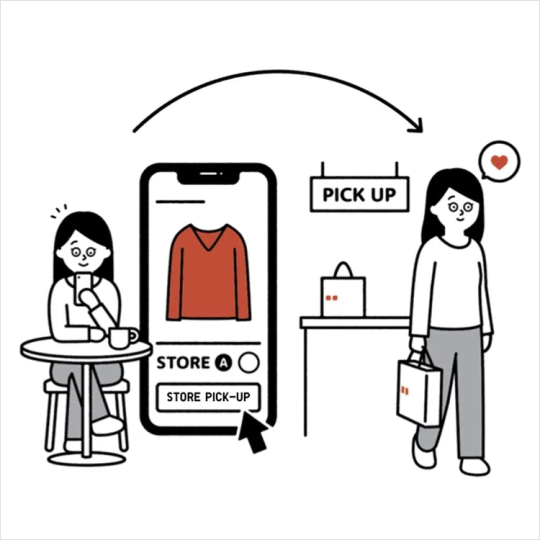
We offer delivery to your designated pick-up point or smart locker, which you can select at checkout for a location near you.
When your purchased items are ready for pick-up, the delivery carrier will notify you through the following methods :
- A phone call to the number provided at the checkout.
- A pick-up code sent via the delivery carrier's APP.
In response to [ SF Express's ] policy changes, SMS will be suspended starting from January 2026.
All pick-up codes will be sent via the [ SF-EXPRESS ] APP.
Please download the [ SF-EXPRESS ] APP to receive the latest order information.
To download the [ SF-EXPRESS ] App ( SFHK APP ) or learn more details,
please < Click Here > to visit the official SF Express page.
If you track your order through UNIQLO APP that has arrived at your designated pick-up point, but have not received a pick-up notification from the delivery carrier, please follow these steps :
1. Log in to the UNIQLO APP, go to [ Member ] and [ Online Order ], tap and view the relevant order page. Confirm your contact number, shipping address and expected delivery window are correct.
※ If you find that the recipient's phone number in the order is incorrect, < please contact us here >.
2. Contact the customer service center of your chosen delivery carriers to resend the pick-up code.
• SF Express
SF Express - Click here to track your order
Contact number : Hong Kong ( 852 ) 2730 0273, Macau ( 853 ) 2873 7373
Office hours : Mon - Fri ( 08:00 - 20:30 ), Sat, Sun and Public Holidays ( 08:00 - 20:00 )
• KEX
KEX ( Kerry Express ) - Click here to track your order
Contact number : ( 852 ) 3513 0888
Office hours : Mon - Sat ( 09:00 - 18:00 ), Sun and Public Holidays ( Off )
Contact UNIQLO Hong Kong & Macau
 Contact Us
* If our Chatbot is unable to reply to your inquiry, our Live Chat Agent will provide further assistance to you.
* Live Agent Support is available Mon- Sun 9am-6pm.
(Including Public Holidays & Weekend)
* 如希望連接中文版智能聊天室,請於進入聊天室前,先於右上角選擇語言為「中文」。