Online Purchase | (O2O) How to Place an In-store Pick-up Order
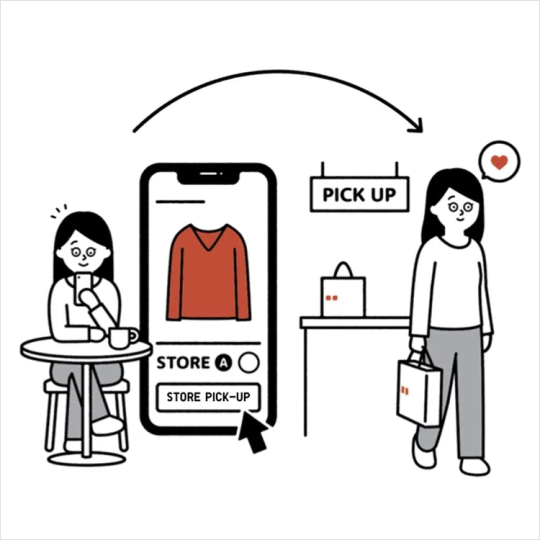
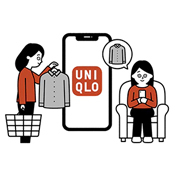
[ (O2O) In-store Pick-up ] provides a convenient way to pick up your UNIQLO online order.
You may choose a nearby store and collect your items quickly. Picking up your order in-store is completely free of charge, and all UNIQLO stores in Hong Kong and Macau now offer service!
[ Pick-up locker ] is UNIQLO’s latest in-store service, designed to save waiting time and make collecting your Click & Collect parcels even more convenient.
︙Contents
▶ How to place a (O2O) In-store Pick-up order▶ (O2O) In-store Pick-up order collection time
▶ Frequently Asked Question ( FAQ )
Step 1: Select Product Color and Size
1. Sign in to your membership account and select your desired product.
2. On the product page, choose your preferred [Color] and [Size].
Step 2 : Select a [Pick-up Store]
1. Under the delivery method, select [Store Pick-up], then click [Please select a store] to choose your preferred pick-up store.
2. Select your preferred store from the store list.
Note: Click the drop-down arrow in the upper right corner to switch districts and view available stores.
Step 3 : Select Quantity and Add to Cart
1. Click the "+" or "−" button to adjust the quantity.
2. Click [Add to Cart].
Step 4 : Confirm Order Details and Enter Pickup Information
1. Review the delivery method and selected pick-up store in your shopping cart
2. Select the item(s) for payment and click [PAY].
3. Enter the pickup recipient's information, including the recipient's name and contact number.
4. After reading the Store Pickup Service Terms and Conditions, submit your order.
Step 5 : Complete Payment and Collect Your Order
1. Once payment is completed, your order will be delivered to the selected store.
2. After the order arrives at the store, the recipient can collect by presenting the SMS pick up code.
The member who placed the order may also present the pickup code or UNIQLO APP membership barcode to collect the order.
For more information about online order delivery times and special arrangements, please refer to the following :
< Delivery Schedule >
-
Q. Why can't I select my preferred store for pickup?
A. You may not be able to choose your preferred store due to the following reasons :
①. Out of stock at warehouse
②. Low or no stock at your selected store( *If only a few items remain at the store, they are prioritized for walk-in customers. )
Therefore, pickup is only available at stores with sufficient stock.✅ < Suggested Solutions >
▶ Visit a nearby store and ask staff to help transfer the item from another store with stock.
※ ( Excludes items sold exclusively at designated or flagship stores. )▶ Choose a different store or delivery method.
Contact UNIQLO Hong Kong & Macau
 Contact Us
* If our Chatbot is unable to reply to your inquiry, our Live Chat Agent will provide further assistance to you.
* Live Agent Support is available Mon- Sun 9am-6pm.
(Including Public Holidays & Weekend)
* 如希望連接中文版智能聊天室,請於進入聊天室前,先於右上角選擇語言為「中文」。