Why is my order split into two different delivery methods?
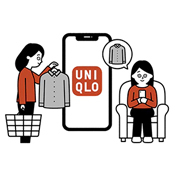
When you select [ Store Pickup ] for your online order, the system will arrange the delivery method based on the stock availability in both the store and warehouse. Therefore, your order may be split into different fulfillment methods.
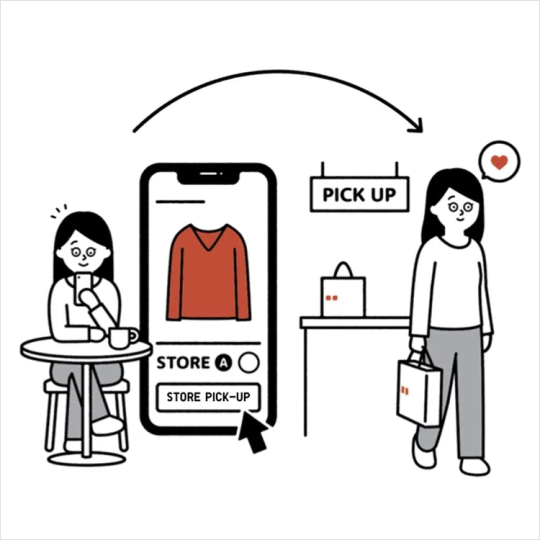
[ Store Pickup ] :The item is available at your selected store and will be reserved there for you to collect.
[Store Pickup ( With Warehouse Transfer ) ] :
The item is out of stock at your selected store but still available in the warehouse. The system will arrange for the item to be delivered from the warehouse to the selected store, and you will be notified once it is ready for pickup.
※ As [ Store Pickup ] and [ Store Pickup ( With Warehouse Transfer ) ] are different delivery methods, the order will be processed separately and shown under different order numbers.
※ Phone or online item reservation / stock transfer services are currently not available. We apologize for any inconvenience caused.
-
Q. What is a [ Store Pickup ] order?
A. [ Store Pickup ] order is an order customer purchase items online and collect them at a selected store.
This service offers free shipping even when purchasing a single item. -
Q. How can I check if my order has been split?
A. When reviewing your order in the shopping cart, if your order is automatically split by the system, you will see two different delivery methods displayed.
If both of the following appear, your order will be split :- [ Store Pickup ] : The item is available at your selected store and will be reserved there for you to collect.
- [ Store Pickup ( With Warehouse Transfer ) ] : The item will be delivered from the warehouse to the store, and additional delivery time will be required ( a reminder will be shown )
※ Please note : To use a coupon, the order must meet the required amount under a [ single delivery method ].
-
Q. How can I change the delivery method / switch to [ Store Pickup ( With Warehouse Transfer ) ] ?
A. Before completing payment, if the item is still in stock, you may select [ Change to Ship from Warehouse ] in your shopping cart to update the delivery method.
( Website Version )
( UNIQLO App Version )
-
Q. Why can't I use my coupon even though I meet the required amount?
A. Coupons can only be applied when the order meets the required amount under a [ single delivery method ].
If your order is split into [ Store Pickup ] and [ Store Pickup ( With Warehouse Transfer ) ], the coupon will not be applicable.
Solution :
Before payment, you can adjust your order in the shopping cart by selecting a "single delivery method" for all items, such as : Change all items to [ Store Pickup ] , or [ Store Pickup ( transfer from warehouse ) ].
Once the order uses a single delivery method, the coupon can be applied.
Contact UNIQLO Hong Kong & Macau
 Contact Us
* If our Chatbot is unable to reply to your inquiry, our Live Chat Agent will provide further assistance to you.
* Live Agent Support is available Mon- Sun 9am-6pm.
(Including Public Holidays & Weekend)
* 如希望連接中文版智能聊天室,請於進入聊天室前,先於右上角選擇語言為「中文」。