Online Purchase | Purchase Process
Order Procedure :
To shop on the UNIQLO Official Online Flagship Store, you must first log in to the online store through the UNIQLO App or the website.
︙Contents
▶ Log in or register as a new member▶ Select Items
▶ Delivery Method and Add to Cart
▶ Using Coupons ( If applicable )
▶ Submit Order and Choose Payment Method
Existing Members :
On the Member Center page, click [ Log In / Register ].
※ When logging in, the system will require you to enter a verification code. The verification code will be sent via SMS to the phone number you provided.
※ If you enter the wrong verification code multiple times, your account will be temporarily locked. Please wait a moment before trying again.
New Members :
On the Member Center page, click [ Log In / Register ], then click [ Register ] on the login page and fill in the required information.
※ During registration, the system will require you to enter a verification code.
※ The verification code will be sent via SMS to the phone number you provided.
Currently, only phone numbers from Mainland China [ +86 ], Hong Kong [ +852 ], and Macau [ +853 ] are accepted for registration.
On the product page of your desired item, choose the [ color ], [ size ], and [ quantity ], then click [ Add to Cart ],
followed by [ View Cart ].
※ If you need the alteration for pants, you can reserve service on this page.
※ This service is only available for [ home delivery ] or [ pickup point / smart locker orders ].
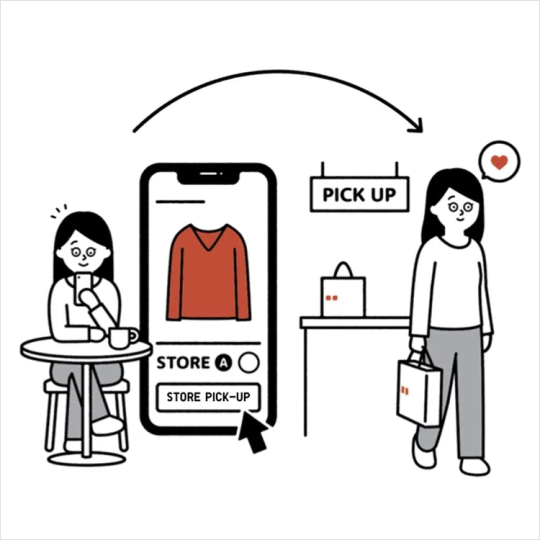
※ For in-store pickup orders, you can request the alteration after collecting your item at the store, with the fastest completion on the same day.
The available delivery methods will vary depending on your order details.
Please select from the applicable delivery options.
※ For more information about delivery methods, please < Click Here >.
After adding all the items you wish to purchase to your shopping cart, review the products and delivery method to ensure everything is correct, then click [ Checkout ].
※ For in-store pickup orders, there are two delivery options: store inventory or warehouse shipment.
If inventory is insufficient, your order may be split into multiple packages.
Please check carefully before completing checkout.
If your order meets the conditions for a designated coupon, the system will automatically apply the coupon at checkout - there is no need to enter a coupon code.
Each order can only use one coupon. If multiple coupons are applicable, please select one to use.
If you do not wish to use a coupon, please select [ Do Not Use Coupon ] on the checkout page.
※ Do not click the [ Staff Use Only ] button on the coupon page. Coupons used under this option will not be reissued.
For more information about payment methods, please click here < Online Purchase | Payment Methods >.
After submitting your order, if payment is not successfully completed within 30 minutes, the order will be automatically canceled.
Coupons applied to unpaid orders will be automatically returned to your coupon section.
You may view the details of successfully paid orders on the [ Online Orders ] page in [ Member Center ].
Contact UNIQLO Hong Kong & Macau
 Contact Us
* If our Chatbot is unable to reply to your inquiry, our Live Chat Agent will provide further assistance to you.
* Live Agent Support is available Mon- Sun 9am-6pm.
(Including Public Holidays & Weekend)
* 如希望連接中文版智能聊天室,請於進入聊天室前,先於右上角選擇語言為「中文」。